
Key Takeaways
- Headless separates content management from the interface that displays it.
- It can support several channels, but adds responsibilities for integrations and delivery.
- A conventional CMS can still have a custom design and be a sensible choice.
- Test an editor's complete workflow and the exit plan before buying.
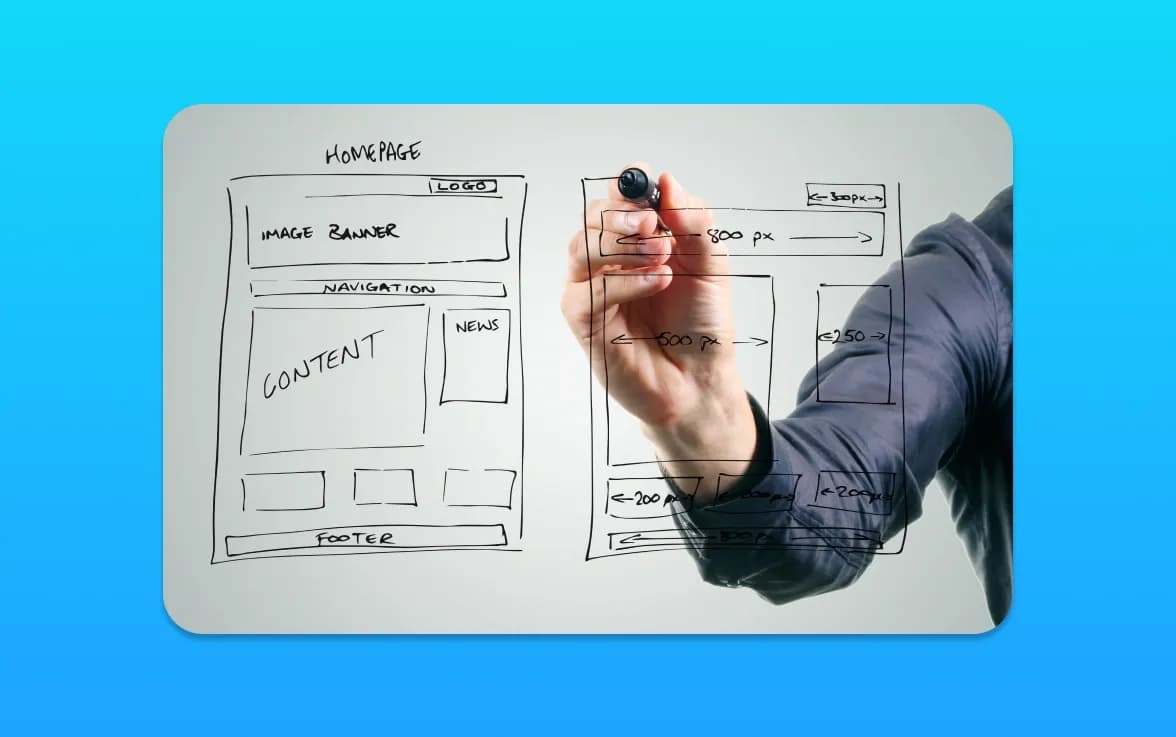
A headless CMS stores and manages content separately from the website or application that presents it. Your developers connect the two through an API. That separation can be useful when one content source must support several interfaces, or when the required experience does not fit an existing CMS theme. It is not a shortcut to faster pages, higher rankings or a maintenance-free website.
This guide is for a business choosing an operating model, not a developer comparing syntax. Begin with what editors and customers need to do, then assess whether the extra flexibility is worth the extra responsibility. A conventional WordPress site can use a custom theme; its design is not limited to an off-the-shelf template.
Key Features of Headless CMS
A headless CMS is flexible and scalable because of its core features. These features help developers and content creators. Let’s dive into these features.
API-First Approach
An API-first approach is key to a headless CMS. It means content is given out through APIs. This lets developers use content on websites, mobile apps, and more.
By focusing on APIs, a headless CMS makes sure content isn’t stuck in one place. Changes still need to be tested against every interface that consumes the content.
Content Modularity
Content modularity is another important feature. It breaks down content into smaller parts. These parts are easy to manage and have metadata.
This way, content creators can work better. They can use the same content in different places without starting over.
Omnichannel Distribution
Omnichannel distribution lets businesses share content everywhere. Each channel still needs an appropriate interface and its own testing. Whether it’s a website, app, or smart display, a headless CMS helps manage content well.
Challenges of Implementing a Headless CMS
Headless CMSes offer many benefits but also come with challenges. As businesses adopt this new content management approach, it’s key to know these hurdles for a smooth transition.
Complexity in Setup
Setting up a headless CMS is complex. It has a decoupled architecture, unlike traditional CMSes. This means content management and delivery are separate, needing API integrations and custom settings.
Businesses should plan well and might need expert developers. This initial effort can make setup easier and less complicated.
Learning Curve for Developers
Developers new to headless CMS face a steep learning curve. They need to adapt to an API-first approach, which is different from traditional systems.
Providing developers with training and resources is vital. Many headless CMS providers offer detailed guides, tutorials, and community support to help.
Dependency on Development Resources
A headless CMS needs ongoing development to keep the content delivery layer up to date. Changes to the user interface or experience require developer input.
Businesses must consider the cost and availability of development resources. This includes initial setup and ongoing maintenance and enhancements.
In summary, while headless CMSes present challenges, understanding and planning for these can make the transition smoother. By addressing setup complexity, developer learning, and resource needs, businesses can prepare for a successful headless CMS implementation.
Describe the content before choosing the platform
List the things you publish: services, projects, authors, locations, products or support answers. Describe their relationships and which facts should have a single owner. A reusable client record may support several case studies; a price may need approval before appearing anywhere.
Do not turn every paragraph into an independent content type. Excessive modelling can make ordinary editing harder. Demonstrate a realistic page with a long heading, multiple images and an optional section. Ask an editor to change it without a developer quietly correcting the data afterwards.
For the underlying API concepts, compare Contentful's API documentation with Sanity's GROQ introduction. These are different approaches to retrieving structured content. Neither is a reason to choose a supplier before the business requirements are known.
Headless and static generation are not competing categories
A headless CMS can feed a statically generated website, a server-rendered application or other interfaces. The CMS describes where content is managed; the rendering approach describes how pages reach the visitor. Ask the developer to explain both decisions separately.
Performance depends on implementation: image handling, caching, JavaScript, external services and hosting all matter. An API that is slow or unavailable can affect delivery if every request depends on it. A static build has different freshness and deployment considerations. Our performance implementation guide covers testing the resulting pages rather than trusting an architecture label.
Run an editor acceptance session
Give a non-technical editor an ordinary task: change a service detail, preview it on mobile, schedule the change and restore the previous version. Include an image with a caption and description. Observe where they need help and whether they can see the whole customer-facing page before publication.
Check roles and permissions. Someone writing a draft should not accidentally alter navigation, delete shared content or expose private previews. Agree how approvals work and what happens if an editor leaves. The session should use the proposed configuration, because product features can vary by implementation and subscription.
Also test a mistake deliberately on a safe environment. Remove a required value or unpublish a referenced record. Does the editor receive a useful warning? Does the frontend fail gracefully? These checks reveal operating costs that are easy to miss in a polished demonstration.
Before accepting a demonstration, ask the editor to repeat the task without guidance. Record the steps that required help and decide whether they need clearer instructions, a different permission or an interface change. That gives the supplier a concrete acceptance list rather than a general request for an easy CMS.
Price the complete operating model
Ask for the build, CMS subscription, frontend hosting, media delivery, integrations, monitoring and maintenance as separate lines. Include editor seats, usage assumptions and the cost of changing a content model after launch. Confirm VAT and which accounts the business will own.
Then price a normal future change: a new service layout, another language or an additional approval step. This is not a prediction that all three will be required. It is a way to discover dependencies before they become urgent. Our website quality checklist helps turn the proposal into observable acceptance criteria.
Protect search and integrations during migration
Inventory valuable URLs, page titles, redirects and files before changing platforms. Check that important content and links reach the rendered page, and that the live environment has the intended indexing settings. Preview protection must remain separate from public indexing controls.
Test enquiry receipt, search, forms and any commerce integration after a content change as well as after a code release. A working initial launch does not establish that a later webhook or failed deployment will be handled correctly. Document who investigates each failure and how the previous working version is restored.
For security, keep management credentials out of the public frontend. Ask how access is restricted, rotated and removed. Include the content source and media in the backup and export plan. A copy of the frontend repository is not necessarily a copy of the business's content.
When a simpler CMS may be better
If one small team maintains a straightforward site, its existing CMS may already meet the brief. Reusing content across hypothetical future channels is not enough reason to fund a more complex system today. Improve editing, templates or navigation first if those are the actual problems.
Consider headless when the reuse, interface or integration requirements are real and the business can support the resulting responsibilities. Ask for a small representative prototype before committing to a full migration. Keep the maintenance responsibilities explicit whichever platform you choose.
Our CMS development service can help compare those options. Custom website design addresses the customer-facing brief; the CMS is one implementation decision within it. Send us your editing and integration requirements so the discussion starts with the business rather than a preferred technology.
Frequently Asked Questions
Is a headless CMS automatically faster?
No. The frontend, hosting, caching, media and integrations determine the delivered experience. Assess representative pages and editing workflows rather than treating separation of the CMS as a performance result.
Can WordPress have a custom design without going headless?
Yes. A custom theme can provide tailored layouts while keeping WordPress responsible for both content and presentation. Headless is a separate architectural choice, not another name for bespoke visual design.
Does headless remove the need for maintenance?
No. Someone must maintain the frontend, dependencies, integrations, permissions and publishing workflow as well as the content platform. Confirm ownership and support responsibilities before approving the project.
What should an editor test before we choose a CMS?
Create and preview real content, change images, schedule a publication, recover an earlier version and test permissions. Include a missing field or reference so you can see how the system handles mistakes.
Can we move away from the platform later?
That depends on exports, media access, content models, licences and the frontend implementation. Ask for an exit demonstration and documentation. An export button alone does not prove that another supplier can restore the whole experience.