

Key Takeaways
- Non-branded impressions show that Google is exposing your site to people who did not search for your name. They do not show whether those people are suitable buyers.
- Separate search visibility, website behaviour, valid enquiries, qualified leads and sales. Each stage answers a different question and can fail independently.
- Sample the actual non-branded queries and group them by intent. A large rise in definitions and research searches can leave commercial demand unchanged.
- Check the full path from query to landing page, service page, form, analytics and CRM before assuming SEO has failed.
- Use a 30-day measurement plan to repair the evidence. Do not promise that one month will prove revenue impact for a low-volume or long-sales-cycle business.
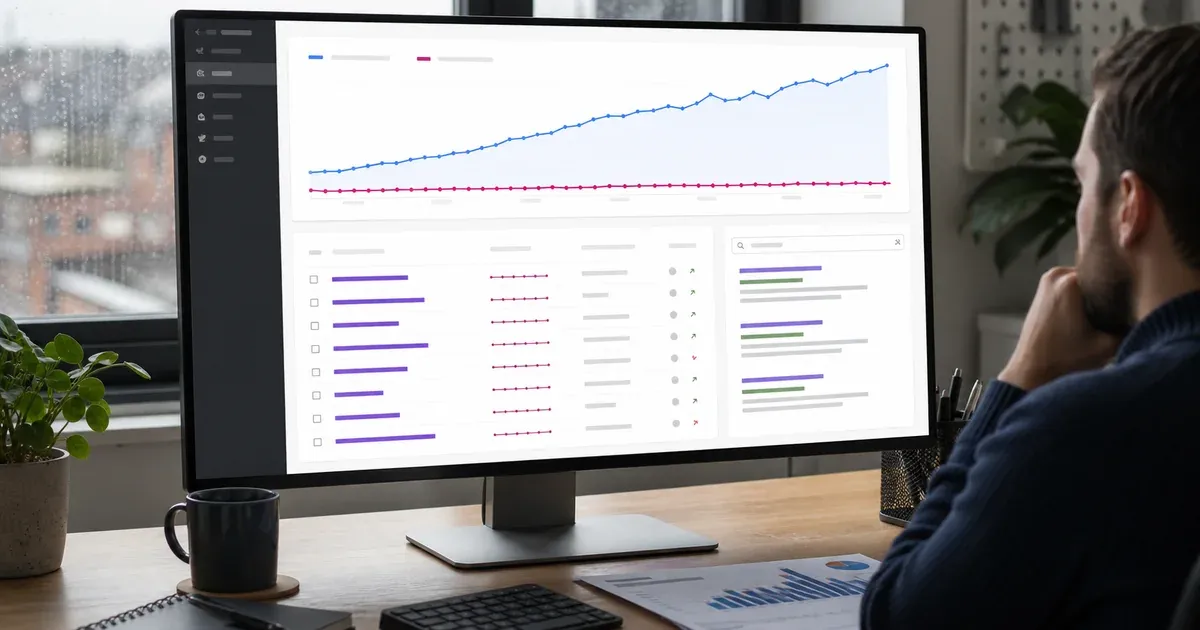
It is encouraging to see non-branded Google impressions rising. It means the website is being shown beyond people who already know the company name. But it is not yet evidence that the right prospects are finding the business, reaching an appropriate service page or becoming qualified enquiries.
This is where SEO reports can become misleading. A chart moves upwards, the enquiry count stays level, and somebody concludes that search traffic is “poor quality”. Another person blames the form. A third says AI answers have taken all the clicks. Any of those explanations could contain part of the truth, but none should be accepted without tracing the complete search-to-lead path.
Start with the CTR Check, Then Move Beyond It
This article assumes you have already checked whether impressions are earning reasonable clicks. If impressions are rising but clicks are missing, first use our guide to Search Console impressions with no clicks. It covers query-to-page relevance, position and search-result appeal.
Once useful non-branded clicks are reaching the site, the next question is different: why are they not becoming enquiries? Repeating the CTR diagnosis will not answer it. You need to connect three evidence sets:
- Search Console shows what happened in Google Search before a visit.
- Website analytics shows what an observed visitor did on the site.
- The CRM or enquiry record shows whether a lead was genuine, suitable and commercially useful.
Google's guide to using Search Console and Google Analytics together makes the boundary clear: Search Console covers search performance before the visit, while Analytics covers behaviour after arrival. It also explains that clicks and sessions are calculated differently, so the totals should not be forced to match exactly.
Your audit should therefore look for a coherent path, not one perfect number.
Define What “Flat Enquiries” Actually Means
Before opening another dashboard, agree the business definition.
Does an enquiry mean every form submission, only a completed contact form, a booked call, a telephone call longer than a set duration, or a lead accepted by the sales team? Are spam, job applications, suppliers and existing-customer requests included? Is the comparison based on the date the form arrived or the date the opportunity was created?
Create a small measurement dictionary. For example:
- valid enquiry: a genuine request from a person or organisation;
- qualified lead: a valid enquiry that fits the service, location, budget or other agreed criteria;
- opportunity: a qualified lead that has moved into an active sales conversation;
- sale: signed work or received revenue, according to the company's normal reporting rule.
Do not quietly change these definitions when the result looks disappointing. If the business only receives a handful of leads each month, show the count as well as the percentage. One extra or missing enquiry can create a dramatic rate with little statistical meaning.
1. Split Branded and Non-Branded Queries Properly
Search Console now offers a branded and non-branded query filter for eligible properties. Google says the filter can be unavailable where impression volume is low, and that its classification can be wrong. Google's performance-report dimensions guide also notes that anonymised queries are omitted when a query filter is applied and that the table stores only the most important rows.
Treat the split as a practical analysis aid, not an exact accounting system.
Start with the built-in filter if it is available. Then inspect a sample from both sides:
- company name, domain and common misspellings;
- named products, proprietary services or team members that may still express brand intent;
- searches that include the brand plus a service;
- genuinely generic service, problem and comparison searches;
- irrelevant phrases that the classifier has placed in the wrong group.
If you use a manual regular expression instead, document it. Keep the same list of brand variants for each comparison, and state that filtering can make query totals differ from the unfiltered chart.
This matters because growing non-branded visibility is only useful when the query sample reflects markets the business can serve. A UK consultancy gaining thousands of impressions for overseas student research may look more visible while its pool of potential UK buyers remains unchanged.
2. Group the Queries by Commercial Intent
Do not review hundreds of phrases one by one. Put a representative sample into intent groups.
Informational learning
These searches ask for a definition, checklist or simple explanation. They can introduce the business to new people, but many searchers are not ready to buy. Examples might be “what is technical SEO” or “how does HubSpot tracking work”.
Problem-aware research
The searcher recognises an issue but has not chosen a solution. Phrases such as “why are website enquiries falling” or “WordPress site slow after update” can become commercially relevant if the article explains the problem and offers a sensible next step.
Comparison and evaluation
These searches compare approaches, costs or suppliers. They are often closer to a decision, although they may still come from students, competitors or early researchers. The page should help the reader judge fit rather than hide every useful answer behind a sales call.
Service and local intent
These phrases describe a service, location or provider need. They generally deserve a clear service page, proof, scope and contact route rather than a broad educational post.
Irrelevant or unserviceable demand
Some impressions come from the wrong country, audience, product, budget or meaning of a word. Record them without pretending they are pipeline.
For each group, count sampled queries and note their main landing pages. You are not trying to assign a fictional lead value to every impression. You are checking whether the mix has moved towards or away from searches that could sensibly produce an enquiry.
3. Test Query-to-Landing-Page Fit
A relevant query can still land on the wrong page. A blog post might rank for a buyer seeking a supplier, while a service page might rank for a beginner seeking a definition.
Build a simple audit table with these columns:
- query or query group;
- intent;
- landing page;
- answer promised in the search result;
- useful next page;
- enquiry action;
- evidence or decision still missing.
Open each important landing page on mobile and desktop. Ask whether a new visitor can tell, within a short scan:
- who the page is for;
- what problem it helps solve;
- what is included and excluded;
- whether the supplier serves their location or type of business;
- why the claims are credible;
- what they should do next.
If a research article attracts suitable visitors, link it naturally to the appropriate SEO services page, not to a generic home page. If the visitor is already comparing suppliers, make scope, process and contact options visible without forcing them through several unrelated articles.
The conversion rate optimisation service can help when search intent is sound but the page journey, form or evidence is stopping appropriate prospects. This is a page-path problem, not a reason to chase more impressions.
4. Check the Service Path, Not Only the Landing Page
An article can be useful without becoming a sales page. Its job may be to answer the first question and point to a deeper guide, service page or diagnostic step. The weakness often appears between those stages.
Trace the route as a real visitor would:
- arrive on the ranking page;
- understand the answer;
- recognise that the service applies to their situation;
- see evidence, scope and limitations;
- reach a suitable contact or booking option;
- receive confirmation that the enquiry worked.
Check links for misleading labels, broken targets and weak mobile tap areas. Test forms with permission using a clearly marked test submission. Check validation messages, confirmation screens and notification delivery. If telephone calls matter, confirm the number is tappable and that call measurement does not replace the visible business number with a broken script.
A good path offers a next step without turning every paragraph into a pitch. Our guide to zero-click searches and SEO strategy explains why some visibility will not create a visit. That context is useful, but “zero-click” must not become an excuse for a confusing journey after somebody does arrive.
5. Separate Device and Country Before Blaming Content
Non-branded growth can come from a segment the business does not serve well.
Compare mobile and desktop in Search Console, then compare landing-page behaviour and valid enquiries in analytics or the CRM. A page may attract mobile impressions while its form is hard to complete on a phone. Desktop visitors may read pricing or case studies during working hours and return later through another channel.
Review countries in the same way. A UK company might gain visibility abroad because an educational article is broadly relevant. That can be good reach, but it should not be reported as UK sales opportunity. If the service is location-specific, make coverage, currency and practical limitations clear.
Do not create thin location pages merely to alter the graph. Improve the genuine page-to-market fit and measure the segment the business can actually serve.
6. Audit Analytics, Consent and Referral Gaps
A flat analytics enquiry count may be a measurement failure rather than a real commercial change.
Start with the basics:
- Is the analytics tag present on every relevant landing, service, form and confirmation page?
- Does the key event fire once for a successful action rather than on every button click?
- Does a third-party booking or form domain preserve the source, or does it return as a referral or direct visit?
- Did a cookie banner, tag-manager release, form change or domain migration alter collection during the comparison?
- Are internal staff and test submissions excluded consistently?
- Are telephone, email and booking enquiries represented, or only one form?
Consent means some behaviour will not be directly observed. Google's explanation of consent mode impact says modelling may fill some conversion gaps for eligible setups; it does not turn analytics into a complete customer ledger. Keep a plain count of received enquiries alongside modelled or attributed analytics results.
Referral exclusions and cross-domain setup also need care. If a booking tool starts a new session, organic search may disappear from the visible conversion path. Do not “fix” that by rewriting historical numbers. Correct the implementation, annotate the date and begin a clean comparison.
When measurement is fragmented, the analytics and reporting service provides a place to align definitions, tagging and decisions rather than adding another decorative dashboard.
7. Add Lead Source and Qualification to the CRM
Analytics can record a form event; it cannot judge whether the enquiry was worthwhile. That belongs in the enquiry or CRM workflow.
For each valid lead, retain the minimum practical source evidence available, such as:
- original landing page;
- first known source and medium;
- latest known source and medium;
- submitted form or booking route;
- date and campaign fields where relevant;
- qualification outcome and a short, controlled reason.
Avoid asking the prospect to complete an internal marketing questionnaire. A small number of useful fields is better than a long form that suppresses genuine enquiries. Sales staff can confirm service fit, location, timing and outcome after the conversation.
Review unqualified leads as a group. If many non-branded visitors ask for a service you do not offer, the content may promise the wrong thing. If the enquiries fit but budgets or timing do not, the page may need clearer scope. If sales records simply leave the source and qualification blank, the problem is operational evidence, not SEO quality.
For a small business, a monthly manual reconciliation of form records, calls and CRM outcomes is often more honest than an elaborate attribution model built on incomplete inputs.
8. Look for Assisted Conversions and Return Visits
Some buyers discover a business through a non-branded search, leave, return through a brand search, read a case study, click an email and only then enquire. Last-click reporting can make the original discovery disappear.
Google Analytics uses scoped traffic-source dimensions and an attribution model to assign credit to key events. Google's traffic-source scope guide distinguishes first-user, session and event-level views. Use the model deliberately, but do not present a decimal share of one enquiry as certainty.
Look for supporting evidence:
- new users first arriving through organic search;
- later branded searches or direct returns;
- service-page and proof-page views before enquiry;
- CRM notes mentioning an article or Google discovery;
- realistic time from first visit to qualified lead.
This is especially important for considered services. A same-session form rate can be useful operationally, but it is not the whole customer journey. The existing guide to a content marketing dashboard using GA4 and Search Console can help structure the reporting layer once the underlying definitions are sound.
9. Treat AI and Zero-Click Explanations Carefully
AI Overviews and other search features can answer parts of a question without a traditional click. However, a broad claim that “AI took our leads” is not an audit.
Google's June 2026 announcement of generative-AI performance reports in Search Console lists impressions, pages, countries, devices and dates in the dedicated Search view. It does not list clicks or enquiries in that dedicated report. Google also says generative-AI visibility remains included in the overall performance report.
Use the dedicated report, where available, to identify affected pages and impression trends. Then compare those pages with the normal Search performance report, analytics and CRM evidence. Do not subtract generative-AI impressions from total impressions and call the remainder “real traffic”; the reporting scopes do not support that shortcut.
Also consider the opposite effect: useful citations or brand exposure in an AI result may prompt a later brand search that no longer looks non-branded. That is a hypothesis to test with broader patterns, not a sale to claim.
Four Common Findings and the Right Response
Visibility grew mainly for early research
Keep useful informational content, but judge it by the role it can genuinely play. Add a clear service path where relevant and create or improve commercial pages for buyer-led searches. Do not turn every guide into a sales brochure.
Commercial queries grew, but the wrong page ranks
Clarify page roles, strengthen internal links and decide whether to consolidate competing pages. The aim is a useful destination for the searcher, not simply moving keywords between URLs.
Suitable visitors arrive, but the journey fails
Repair mobile usability, proof, form behaviour, contact choices or service clarity. Test the route and record the change. More impressions will not repair a broken enquiry path.
Enquiries exist, but attribution is missing
Fix tags, cross-domain behaviour, source fields and CRM discipline. Keep reported totals separate from attributed totals until the new setup has collected a stable period.
A Practical 30-Day Measurement Plan
The plan below creates a trustworthy baseline without pretending that thirty days guarantees commercial growth.
Days 1–3: agree definitions and freeze the baseline
- Define valid enquiry, qualified lead, opportunity and sale.
- Record the last complete comparison period and any known site, campaign or tracking changes.
- Export the unfiltered Search Console page and query data needed for the audit.
- Record current analytics key events and CRM source fields.
Days 4–7: sample search intent
- Split branded and non-branded data using the available filter.
- Manually check a representative sample for classification mistakes.
- Group non-branded queries by informational, problem-aware, comparison, service/local and irrelevant intent.
- Connect each important group to its current landing page.
Days 8–14: verify the measurement chain
- Test analytics on key landing, service and confirmation pages.
- Check form, booking, email and telephone routes.
- Review consent behaviour and third-party domain referrals.
- Add or repair the minimum CRM source and qualification fields.
- Mark every test clearly so it does not become a sales lead.
Days 15–21: improve one high-value path
Choose one query group with relevant impressions and a realistic buyer need. Improve its landing-page answer, service link, scope, evidence or enquiry route. Do not change five unrelated pages and then guess which action mattered.
Record the URL, change, date, owner and intended signal. If the issue is substantial, contact MattDarm for a practical review that connects search demand, page experience and lead measurement.
Days 22–30: reconcile and report
- Compare complete days with the baseline, keeping device and country in view.
- Count valid and qualified enquiries from the CRM, not only analytics events.
- Review source gaps and assisted paths rather than forcing every lead into one channel.
- State what is too early or too small to judge.
- Choose the next one or two actions.
The first report should show the chain: relevant non-branded visibility, observed visits, valid actions, qualified leads and known attribution gaps. If a stage has no reliable evidence, label it “not measured” rather than zero.
Frequently Asked Questions
How can non-branded impressions grow while enquiries stay flat?
Your site may be appearing for more general searches without reaching people who are ready or suitable to enquire. The landing page may also send visitors to the wrong next step, or analytics and CRM records may fail to connect an enquiry to organic search. Audit the complete path rather than treating impressions as leads.
How do I separate branded and non-branded search data?
Use Search Console's branded and non-branded query filter if it is available for the property, then review samples because Google says the classification can be wrong. If you build manual filters, include common brand spellings and product names, and remember that anonymised queries disappear when a query filter is applied.
Which metric should I use to judge non-branded SEO?
Use a small set rather than one headline number: relevant non-branded query visibility, qualified organic visits, valid enquiry actions, qualified leads and eventual sales where the volume and sales cycle allow it. Keep the definitions stable and report missing attribution instead of quietly treating it as zero.
Can AI Overviews explain why enquiries are not growing?
They may affect how some searches are answered, but do not use them as a blanket explanation. Google's dedicated generative-AI Search Console report currently shows impressions, pages, countries, devices and dates, not clicks or enquiries. Compare affected pages with normal Search, analytics and CRM evidence before drawing a conclusion.
Is 30 days long enough to prove that SEO is generating leads?
Thirty days is enough to repair definitions, test the tracking chain and identify obvious query-to-page problems. It may not be long enough to prove commercial impact for a low-volume business or a long sales cycle. Treat the first month as a controlled baseline and continue comparing complete, like-for-like periods.
Measure the Search-to-Lead Path, Not the Loudest Chart
Growing non-branded visibility is an opportunity, not a completed result. The useful work is to discover whether the new audience has buyer relevance, whether the correct page serves it and whether the journey remains visible through analytics and the CRM.
Fix the first weak stage you can prove. Then keep the definitions stable long enough to learn from the result. That produces a more useful SEO decision than celebrating impressions or blaming search traffic without evidence.