
Key Takeaways
- A website explains what you do and guides people towards an enquiry, purchase or booking. A web app lets people log in, complete tasks, work with their own data or use a tool repeatedly.
- The right first build is usually the simplest one that solves the real business problem. A service business with a clear offer normally needs a strong website before it needs a custom app.
- Web app costs rise with user accounts, permissions, data, integrations, bespoke workflows, testing and long-term support. The screen design is only part of the job.
- You do not always have to choose between a basic website and a large custom platform. A well-planned website can connect to booking, payments, CRM and client tools without reinventing everything.
- Start with a clear workflow, not a feature list. If people need to return, see different information and complete repeat tasks, a web app may be the right move. If they mainly need confidence to contact or buy from you, build the website properly first.
“Do we need a website or a web app?” sounds like a technical question. Most of the time, it is really a business question hiding behind technical words.
Someone has shown you a slick client portal, a custom quoting tool or a competitor’s dashboard. It is easy to look at it and assume the answer is to build something similar. But a custom app is not automatically more modern, more impressive or more useful. It is simply a different tool, with a different job and a very different level of commitment.
A good website can win work, answer the questions that slow down a sale, take bookings, sell products and route leads into your systems. A good web app can let customers or staff do work that would otherwise live in a spreadsheet, inbox or pile of admin. The trick is knowing which problem you are trying to solve before you pay for either one.
This guide breaks down the difference in plain English, the real cost drivers, common use cases and a sensible way for a UK business to decide what should come first.
The simple difference between a website and a web app
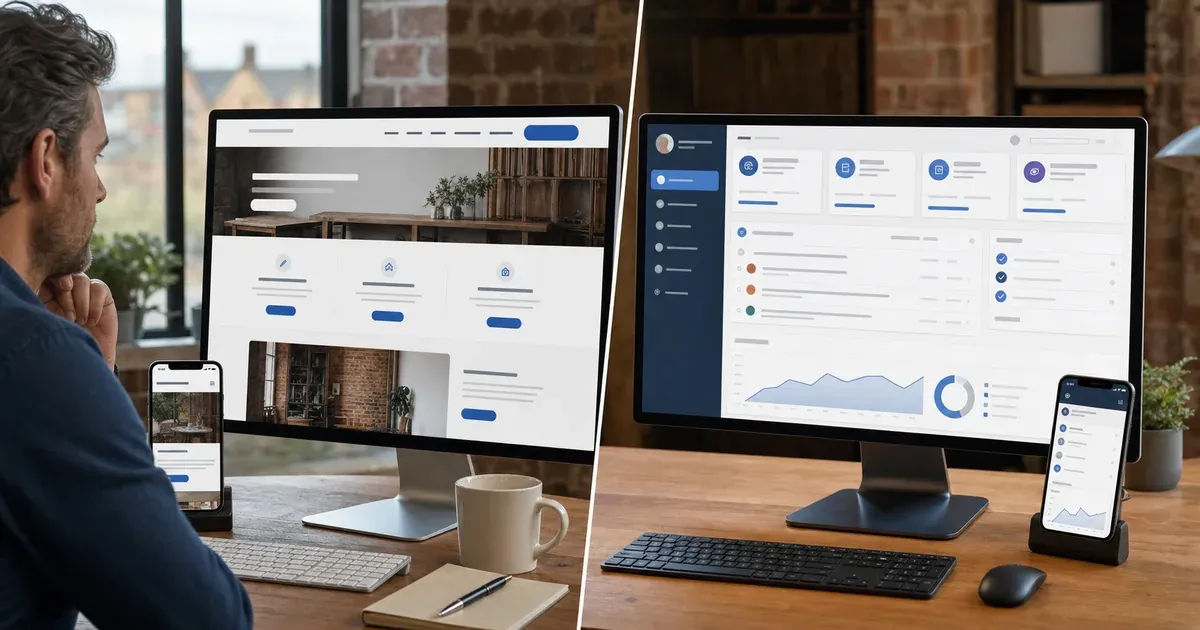
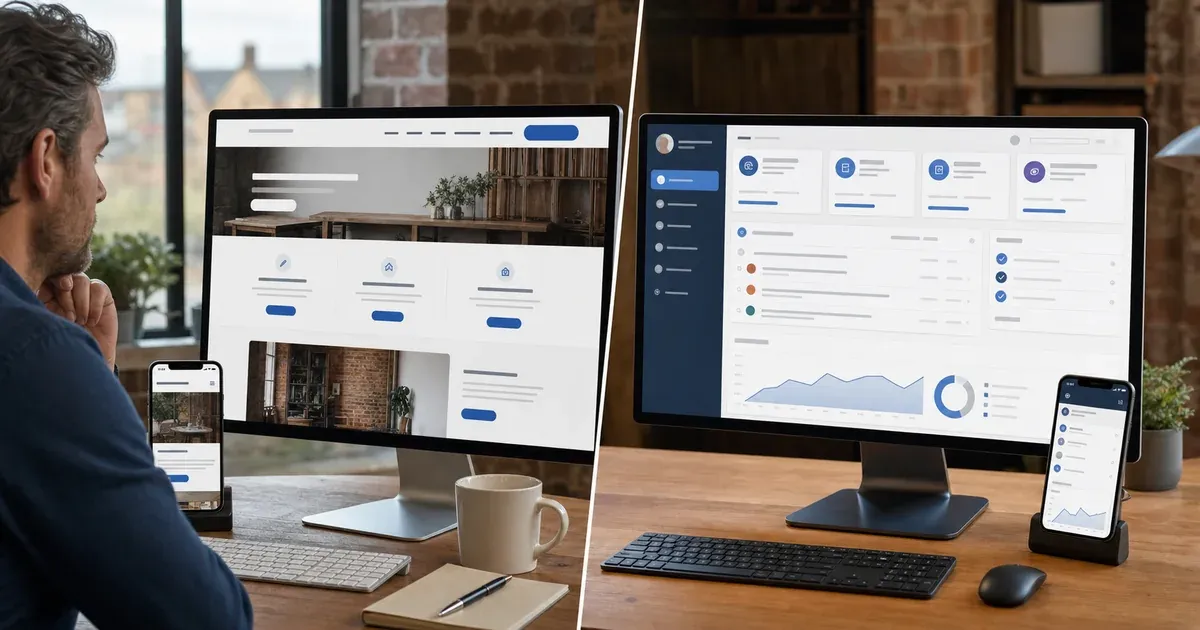
A website is mainly there to communicate. It tells a visitor who you are, what you offer, why you are credible and what they should do next. Even a good e-commerce site is still mostly a website: the visitor browses, chooses and pays.
A web app is there to let a user do something repeatedly. It normally has a login, personal information, saved progress, permissions or data that changes depending on who is using it. Think client portals, internal booking systems, membership platforms, quoting tools, dashboards, booking management systems or software your customers use as part of the service.
There is overlap, of course. Your website may include a booking form, an online shop or a customer area. That does not make the whole site a web app. What matters is the central job.
- If the main job is to help new people understand you and get in touch, you need a website.
- If the main job is to help an existing user log in, manage information or complete a recurring process, you are moving into web app territory.
- If you need both, the answer might be a public website with a focused app or portal behind it, rather than trying to make one giant thing do everything.
That distinction sounds simple, but it prevents a lot of expensive confusion. A website visitor should not have to learn a system before they can understand your offer. Equally, a client who uses your service every week should not be forced to email you for information a well-designed portal could show them safely.
What a good business website can already do
It is easy to underestimate a modern website because the word “website” brings to mind a few pages and a contact form. A properly planned site can do much more without becoming a bespoke software project.
For a service business, it can explain complex services in a way that feels clear rather than salesy, show case studies, handle enquiries, qualify leads, take deposits, let people book calls and connect those actions to a CRM. For a retailer, it can handle product browsing, checkout, stock updates and email marketing. For a professional practice, it can gather the right information before a consultation and make the next step feel straightforward.
The real value is not the number of features. It is whether the visitor reaches the right action without being confused, distracted or left wondering what happens next. That is why custom website design starts with your business goals and customer journey, not a long list of fashionable features.
There are also plenty of established tools worth using when the problem is already solved well: payment providers, booking platforms, mailing systems, CRM forms and secure document tools. Connecting a proven service to a website is often faster, safer and cheaper than trying to build your own version from scratch.
When a web app is genuinely the right answer
A web app earns its keep when it removes a meaningful repeated problem. The strongest cases tend to have one or more of these characteristics.
- People need their own login and view. A client should see their project, documents, booking history or account details, but not anyone else’s.
- The business follows a repeatable workflow. Your team may be copying the same information between forms, spreadsheets, emails and systems every day.
- There are rules and permissions. Different users need different actions, approvals or levels of access.
- The value is in the interaction, not just the information. A calculator, planner, quote builder, reporting dashboard or client workspace is the product experience.
- The process is becoming hard to manage manually. It is not just inconvenient; the manual version is causing mistakes, delays, missed follow-up or a poor customer experience.
For example, a consultancy might need a client portal where work, documents and progress are visible in one place. A trades business may benefit from a quoting and scheduling system once the office team is drowning in repeat admin. A membership business might need a private area for resources, account changes and event bookings. Those are all real candidates for a web app because the user needs to come back and do something specific.
On the other hand, “we want customers to be impressed” is not enough. An app that is clever but rarely used becomes an expensive liability. There is no medal for building the most complicated answer.
What actually drives the cost of a web app
People often compare a website and web app as if the difference is simply a few extra pages. It is not. The extra cost comes from the work behind the screen.
A custom app has to decide who a user is, what they can see, how their information is stored, what happens when something goes wrong and how the system behaves when several people use it at once. It may need to talk to your CRM, payment provider, accounting software, calendar or another supplier’s API. It needs sensible security, backups, error handling, testing and a plan for ongoing changes.
The most important cost drivers are usually:
- the number of user types and permissions;
- the amount and sensitivity of the data involved;
- how many manual workflows are being replaced;
- the integrations required;
- whether the process has to work on mobile as well as desktop;
- how much reporting, automation or notification logic is needed; and
- the level of support required after launch.
That is why honest web app pricing starts with discovery, not a vague flat rate. Two apps can look similar on the surface but be miles apart underneath. A simple internal tool with one team and one workflow is a very different build from a customer-facing platform with payments, documents, notifications and multiple permission levels.
If you are comparing options, ask what has been included around security, testing, hosting, support and future changes. The cheapest build can become the most expensive choice if it has not accounted for those basics.
Do not build from scratch when an integration will do
There is a useful middle ground that gets missed. You might not need a bespoke web app at all; you might need a better process around tools you already use.
For example, a website can send the right type of lead into your CRM, trigger a follow-up, collect documents through a secure provider and let someone book time in your calendar. A customer can get a clear confirmation and your team avoids copying data around. That can feel dramatically better without the cost and responsibility of building a private platform.
This is where a proper website audit and consultation is useful. It looks at the website, but it also asks where leads, content and admin are getting stuck. Sometimes the honest recommendation is a stronger website plus a few sensible integrations. Sometimes the evidence points to a dedicated app. Either outcome is better than guessing.
A practical way to decide what your business needs first
Start with the journey, not the technology. Write down what you want a new customer, an existing customer and a member of staff to do. Then ask which parts are communication and which parts are a repeatable system.
A website is probably the right first move if most of your priority is getting found, explaining your services, building trust, improving enquiries or selling a straightforward product. If that is where you are, focus on clear messaging, useful proof, a sensible structure and a site that works properly on every device. Our wider web development and UX service is built around exactly that.
A web app is worth exploring when your current service is being held back by a repeated process that users genuinely need to complete online. Be specific about it. “We need a portal” is not a brief. “Clients need to upload project information, see the latest approval status and book the next milestone without emailing the team” is a useful starting point.
Then test the idea before you commit. Map the workflow, identify the people who would use it, show them a simple prototype or even a manual version, and find out whether it solves the problem you think it solves. The most valuable feature is often not the one you imagined at the start.
A sensible phased route for growing businesses
You do not have to launch with every feature in place. In fact, it is usually better not to.
A common route is to build the public website first, make the offer easy to understand and connect the best existing tools for bookings, payments or follow-up. Once people are using the service and a repeat pain point is proven, build a small web app feature around that one job. Learn from real use, then expand it only when it is earning its place.
This protects your budget and gives you something useful much sooner. It also avoids turning a good business idea into a long software project before you have tested the demand.
If you are still weighing up how much to customise, our guide on custom websites versus templates is a helpful companion read. The same principle applies here: use the level of custom work that matches the role the digital product has in your business.
The Bottom Line
A website and a web app are not competing status symbols. They do different jobs. If people need to understand your offer and take a clear next step, invest in the website. If they need a secure, repeatable place to manage work, data or progress, a web app may be the right investment. The best choice is the one that solves the real problem without creating a larger one.
If you are not sure where your idea sits, get in touch. We can look at the customer journey and the workflow behind it, then give you a straight recommendation. That might mean a focused web app development project, a stronger custom website, or a simpler route that gets the result without building more than you need.