
Key Takeaways
- A website accessibility audit is not a badge or a one-click scan. It is a structured check of whether real people, including people who use keyboards, screen readers, magnification or other assistive technology, can use the important parts of your site.
- A useful audit looks at code, content, design, forms, journeys and the way pages behave on different devices. Automated testing is helpful, but it cannot judge every barrier a person might face.
- The cost depends on the size and complexity of the site, the number of templates and user journeys, the level of manual testing and whether the audit includes a practical fix plan. A cheap scan and a proper audit are not the same thing.
- Fix the blockers first: anything that stops someone reading key information, navigating, submitting a form, booking, buying or getting support. Then work through the wider structural issues.
- Accessibility is best treated as ongoing quality control. An audit gives you a starting point, but new content and features need to keep the same standard.
Accessibility can feel like one more technical obligation on an already crowded to-do list. That is a shame, because at its heart it is very practical: can people use your website to do what they came to do?
Can someone navigate without a mouse? Can a screen reader make sense of the page? Can a visitor with low vision read the text and understand the form? Can someone complete a booking, a purchase or an enquiry without hitting a barrier? Those are not edge cases. They are ordinary customer journeys, and a website that blocks them is working against the business as well as against the user.
A website accessibility audit gives you an honest picture of where the barriers are and what should happen next. It should not be a frightening report full of colour-coded jargon. It should be a prioritised plan that tells you what is stopping people today, what needs fixing soon and what needs to be built into the way your site is managed from now on.
Here is what a proper audit checks, what affects the price and how to decide which fixes come first.
What a website accessibility audit actually is
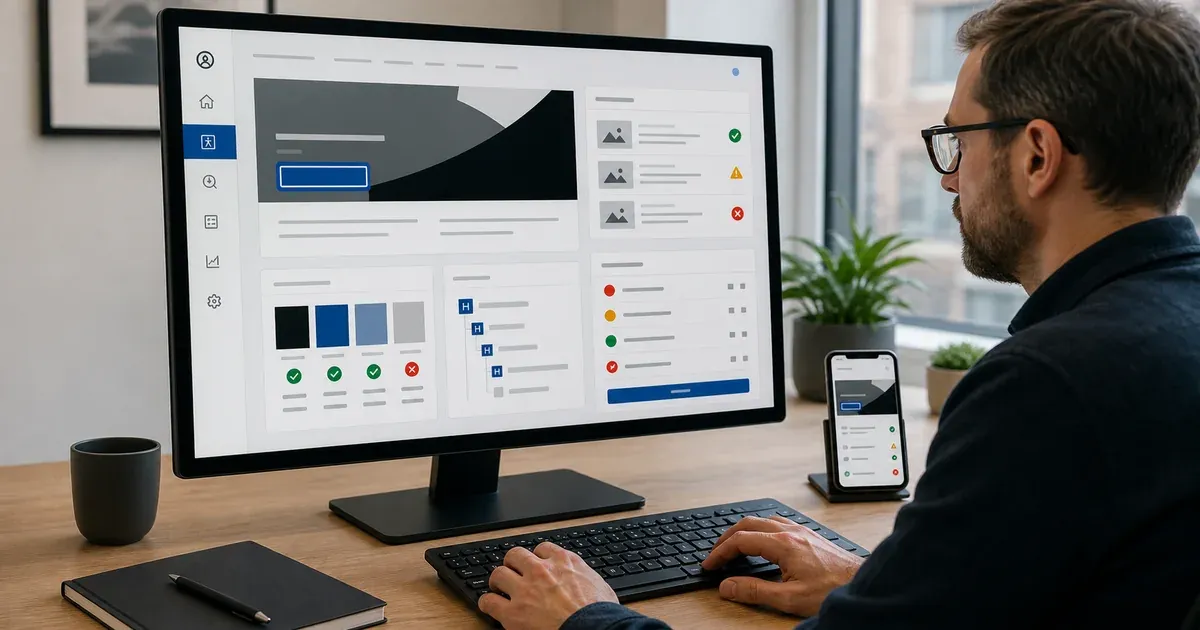
An accessibility audit is a review of your website against recognised accessibility guidance, usually with WCAG 2.2 AA as the practical working standard. It looks at whether the site can be understood and operated by people with different needs and different ways of using the web.
It is important to separate an audit from an automated scan. A scanner can be useful: it can identify obvious things such as missing image text, contrast problems or certain markup errors. That makes it a good starting point, especially on a large site. But it cannot tell whether the words used for an image are meaningful, whether a form makes sense when read aloud, whether keyboard focus moves in a logical order or whether a complicated booking journey is usable in practice.
A proper audit combines automated checks with human judgement. It tests the parts of the site that matter most, follows the customer journeys that generate work and checks how the page behaves when someone uses a keyboard or assistive technology rather than a standard mouse-and-screen setup.
It is also not a legal certificate. An audit is evidence of the issues found at a point in time and a practical route for improving them. If you need legal advice on your particular obligations, speak to a qualified legal adviser. For the wider business context, our guide to website accessibility laws in the UK explains the subject in plain English.
What a good accessibility audit checks
The exact scope should fit the site, but a useful audit normally looks across several areas rather than treating accessibility as a single design setting.
Structure and semantic code
The code underneath a page gives assistive technology the information it needs to describe the page properly. Headings should be in a logical order. Buttons should behave like buttons. Form fields should have labels. Links should tell people where they go. Tables, lists, alerts and controls need to be marked up in a way that makes sense when someone cannot see the visual layout.
These details are invisible to most people browsing normally, but they make a huge difference to someone using a screen reader or keyboard. A page can look polished and still be very hard to use if its structure is not doing the work behind the scenes.
Keyboard navigation and focus
Not everyone uses a mouse. Some visitors navigate with the Tab key, arrow keys, switches or other alternative inputs. An audit checks whether every important action can be reached and completed this way.
That includes menus, links, filters, forms, pop-ups, cookie banners, booking tools, checkout steps and anything that opens, closes or changes on the page. It also checks whether the visible focus indicator is clear, so a keyboard user can see where they are. A hidden focus state or a pop-up that traps someone inside it can turn a simple task into a dead end.
Text, contrast and visual clarity
Accessibility is not only about screen readers. Text needs to be readable, controls need to be clear and information should not rely on colour alone. If an error message is only shown in red, for example, some visitors will miss it. If pale text sits on a bright background, people with low vision may struggle even if the page looks stylish on a designer’s monitor.
An audit checks contrast, text size behaviour, zoom, responsive layouts, spacing and whether key messages still make sense when visual presentation changes. This is often where accessibility overlaps with good everyday UX: clearer information helps everyone.
Images, video and other media
Images need useful alternative text when they communicate meaning. Decorative images should not interrupt a screen reader with pointless descriptions. Video may need captions, transcripts or audio description depending on what it contains and how it is used. Embedded maps, sliders and third-party media deserve attention too, because they can introduce barriers even when the rest of the page is sound.
The point is not to write a paragraph of alt text for every picture. It is to make sure the important content has an equivalent for people who cannot see or hear it in the usual way.
Forms, transactions and key user journeys
This is where audits should spend serious time. It does not matter how accessible the homepage is if someone cannot submit an enquiry, reset their password, upload a document, book an appointment or pay for an order.
A good audit follows the journeys that matter most to your business. It checks labels, instructions, validation messages, error recovery, confirmation screens, time limits and the way an individual moves from one step to the next. It also looks at third-party tools, because a booking platform or checkout embed can be the thing that breaks an otherwise accessible site.
Content and documents
Accessibility can be lost after a site launches. A new blog post with poor heading order, an image without useful text, an uploaded PDF that cannot be read properly or a campaign page built in a hurry can all create fresh barriers.
A useful audit looks at the way content is being added, not just the code already in place. It may recommend simple publishing rules, templates or training so your team can keep the site usable when it changes.
What affects the cost of an accessibility audit
There is no honest single price for every website because not every website has the same risk, size or complexity. A five-page brochure site with one contact form is very different from a large e-commerce site, a membership platform or a site with several booking and document workflows.
When you are comparing quotes, the useful question is not just “How much?” but “What does this actually cover?” The main factors are:
- Number of page types: testing one well-built template is not the same as testing a site with separate layouts for services, products, articles, account areas, forms and checkout.
- Critical user journeys: more complex journeys, especially ones involving login, payments, bookings, applications or uploads, need deeper manual testing.
- Third-party tools: embedded calendars, cookie consent tools, chat widgets, maps, video players and payment providers may need their own checks.
- Manual testing level: an automated scan is quick. Keyboard and assistive-technology testing takes skilled human review, and that is where many important issues are found.
- The quality of the report: a list of errors is not enough. You need severity, examples, affected pages, WCAG references where relevant and clear guidance on how to fix each issue.
- Remediation support: some audits stop at the report; others include a fix plan, retesting or hands-on development. Make sure you know which one you are buying.
A very cheap “compliance check” is often little more than a scan and a branded PDF. That can be useful as a quick health check, but it should not be mistaken for a proper review of how people use the site. At the other end, do not pay for an enormous audit of every page before anyone has identified the templates and journeys that actually matter. Scope the work around real risk and real use.
Our website audit and consultation is designed to give businesses a clear, prioritised view rather than a vague checklist. The right scope should be explained before work starts, not hidden in a quote.
What to fix first
The best accessibility plan does not begin with a hundred-item list. It begins with the things that prevent people from using the business.
Start with blockers on high-value journeys. If a keyboard user cannot open the main menu, a screen reader user cannot understand the enquiry form or a visitor cannot complete checkout because the errors are unclear, those are immediate priorities. They affect both the user and the commercial purpose of the site.
Next, focus on templates and components that appear everywhere. Fixing a broken navigation pattern, an inaccessible cookie banner or a poor heading structure in the shared layout can improve dozens of pages at once. This is usually better value than treating each page as an isolated problem.
Then look at content with high visibility or high importance: core service pages, top landing pages, product information, pricing, account pages and documents customers need to use. Older low-traffic content still matters, but it may be sensible to tackle it in a planned second phase once the main routes are working properly.
Finally, make the fixes stick. If the same type of issue keeps returning, the answer is not another audit every few months. It is a better content process, a more accessible component library or clear guidance for the people publishing the pages.
The difference between fixing a few issues and rebuilding properly
Not every accessibility finding means you need a new website. Many sites can be improved through targeted work: stronger colour contrast, better labels, sensible focus states, clearer forms, improved page structure and more useful content rules. That is often the right first move.
However, an older build can sometimes make the work needlessly difficult. If the site relies on inaccessible components, a page builder that produces poor markup, a patchwork of plugins or a structure no one can safely change, you may spend more time fighting the foundation than improving the experience. In that case, a wider website redesign or focused custom website design can be the more responsible route.
The key is to make that decision from evidence. Do the audit first. See which problems are isolated and which are baked into the system. A good partner will tell you when a set of fixes is enough, rather than treating every audit as a reason to sell a rebuild.
Why accessibility needs to be part of ordinary website care
Accessibility is not a once-and-done project because websites do not stay still. New pages, campaigns, software updates and third-party embeds can introduce problems after an audit is finished.
Build simple checks into the normal workflow. When a page is published, check the heading order, links, image text, colour choices and form behaviour. When a new component is added, test it with a keyboard before it goes live. When you change a booking or payment tool, test the complete journey rather than trusting the supplier’s marketing page.
This is part of keeping a website healthy, alongside speed, security and content quality. Our wider web development and UX support can help make those checks practical rather than overwhelming.
The Bottom Line
A website accessibility audit is not about chasing a badge. It is about finding the places where real people are being blocked and giving you a sensible order for fixing them. The best audit is clear about scope, tests the journeys that matter, distinguishes quick wins from deeper issues and leaves you with a plan your team can actually use.
If you want a straight view of where your website stands, get in touch. We can start with a focused website audit and consultation, then help with practical accessibility and WCAG compliance work where it is needed.